


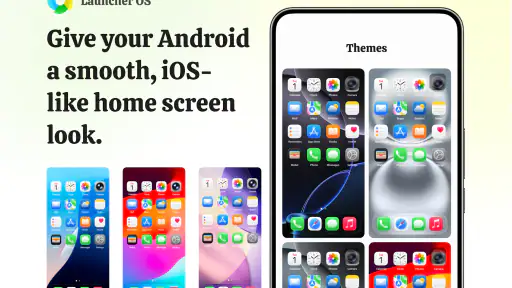
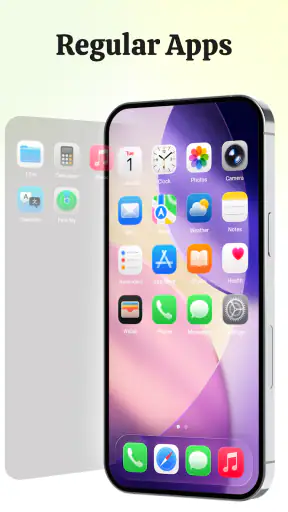
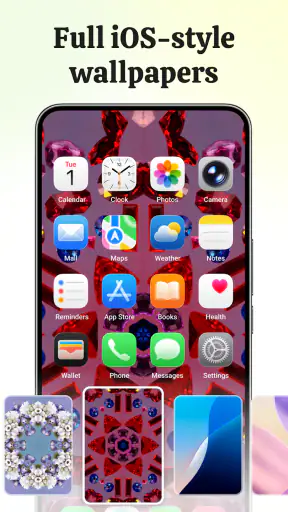
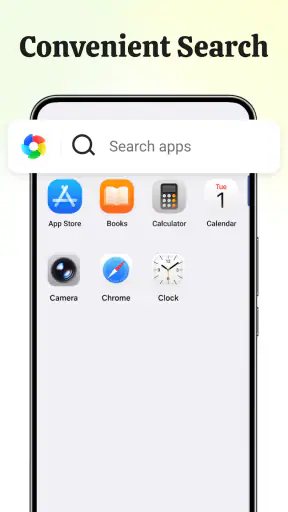
I spent time using Launcher OS as a replacement for the standard Android home screen, and my first impression was clear: this is aimed at people who like the visual language of an iPhone but still want to remain on Android. Its central idea is simple—an iOS-inspired arrangement of icons, screens, and everyday navigation—but the usefulness depends on how much you value appearance over the deeper customization found in other launchers.
It is a free personalization app from Pioneer Technologies HK Limited, available for users aged Everyone and compatible with Android 8.0 or later. The current release is version 5.8.9. Those details matter because this is not a small visual theme that sits on top of your existing launcher; it is something you use as part of your regular home-screen routine.
After a few days, I found that the best way to judge it was not by asking whether it perfectly turns Android into iOS. It does not need to do that. The more useful question is whether its iOS-inspired layout makes your phone feel more orderly and pleasant without creating extra work. For me, the answer was mostly yes, with a few important reservations for users who want extensive control.
How the everyday home-screen workflow feels
The basic workflow is familiar. I returned to the home screen, looked for an app by its icon, opened it, and went back when I was finished. The difference was the overall visual rhythm: the arrangement feels more deliberate than many default Android launchers, especially if your phone normally presents a crowded mixture of widgets, shortcuts, and loosely arranged icons.
That cleaner starting point is the strongest reason to try it. I could use the first screen for the applications I open repeatedly, then keep less important tools away from the immediate view. This sounds obvious, but a launcher becomes useful when it encourages a repeatable habit. With Launcher OS, I found myself making fewer random changes because the iOS-like presentation works best when the layout stays consistent.
A realistic example is a busy morning. I might open the phone to check messages, glance at the calendar, start navigation, and then switch to music before leaving home. When those apps are placed in predictable positions, the launcher becomes almost automatic. I do not have to remember a complicated system; I simply build a small visual map and use it every day.
That simplicity can also expose a weakness. If you install many apps and prefer to organize them into several detailed categories, the iOS-inspired approach may feel less flexible than a launcher designed around drawers, folders, gestures, and extensive grid controls. Launcher OS works best when your home screen is a practical launchpad, not a carefully engineered dashboard with a different layout for every situation.
I also recommend giving yourself time to adjust before deciding whether it is comfortable. A familiar Android setup has its own muscle memory, and changing the appearance of icons or their positions can briefly slow you down. I initially reached for apps in the places I remembered from my old layout. Once I stopped rearranging everything impulsively and kept a stable structure, the experience became much more natural.
Who gets the most from the visual change
This app makes particular sense for three kinds of users. The first is someone who likes the look of iOS but owns an Android phone. The second is a person who wants a calmer home screen without spending a long time designing one from scratch. The third is someone helping a family member move between platforms and looking for a more familiar visual arrangement.
It is less convincing for power users who choose a launcher mainly for deep automation, dense information panels, or precise control over every spacing and gesture. In that situation, an established customization-focused alternative may be a better fit. Launcher OS is more about a recognizable presentation than about turning the home screen into a miniature operating system of its own.
Settings I would check before settling in
My advice is to treat the first setup as a short organization project rather than immediately judging the appearance. Put only your most-used apps where your hand naturally expects them. Keep communication, travel, work, and entertainment tools in a pattern you can remember without reading every label. The visual style is helpful, but the real improvement comes from reducing hesitation.
I would also check how the launcher behaves alongside the phone’s existing navigation and home-screen controls. Android devices differ in how they handle default launchers, back navigation, recent apps, and system-level gestures. If something feels inconsistent, it may not be a problem with the visual design itself; it may be the interaction between the launcher and the phone’s own software. Testing those actions early prevents frustration later.
Another worthwhile check is whether your preferred shortcuts and widgets still fit your routine. A launcher can look attractive while making an important task slower. For example, if you depend on a calendar view, a weather panel, or a quick note action, place it where you can reach it naturally rather than forcing your whole routine to match the theme. A good-looking home screen should reduce friction, not merely imitate another platform.
I would keep the first arrangement intentionally modest. Start with a small number of screens and avoid moving every icon just because the new layout makes that possible. After using the phone normally for a day, notice which apps you actually reach for. That second pass is more reliable than trying to predict your habits during setup.
The app is free, which makes experimentation easy. You do not have to commit money before discovering whether the visual approach suits your phone. Still, free does not mean effortless: the time cost is the process of reorganizing your home screen and relearning where things are. If you change launchers often, that repeated adjustment may outweigh the visual benefit.
Building faster patterns instead of chasing decoration
Experienced users will get more from Launcher OS by combining a stable layout with consistent habits. I found that the most effective pattern was to reserve the easiest-to-reach area for tasks I perform under pressure, such as communication and navigation. Less urgent apps can remain visible but should not compete with those primary actions.
A second useful pattern is separating “open every day” from “open when needed.” Daily apps deserve predictable positions. Occasional tools can be grouped or placed on a secondary screen, so they remain available without filling the first view. This is a small distinction, but it prevents the common mistake of treating every installed app as equally important.
I also recommend avoiding constant visual tinkering. The iOS-inspired style can tempt you to keep adjusting icons and screens because each change is immediately noticeable. In practice, a layout that stays unchanged is faster than a beautiful layout that moves every few days. Use the first week to observe your behavior, then make one deliberate revision instead of many small ones.
For people who switch between work and personal tasks, the launcher can support a simple separation by placing those groups in different areas. I would not overcomplicate this with too many layers. The point is to create a glanceable map: one area for people and messages, another for tools and documents, and a separate place for leisure. The exact arrangement should follow your hand movements, not someone else’s idea of a perfect screen.
One non-obvious trade-off is that visual familiarity can be both a benefit and a trap. If you have used iOS before, the presentation may shorten the adjustment period. If you have always used Android, copying an iPhone-like arrangement may initially feel less efficient because you are replacing established habits. In that case, keep the appearance but adapt the placement to your own behavior instead of trying to reproduce another person’s screen exactly.
Where the iOS-inspired approach reaches its limits
The biggest limitation is scope. Launcher OS changes the way the home screen feels, but it should not be treated as a complete replacement for every Android system behavior. Your phone’s underlying operating system still determines many interactions, and the launcher cannot make Android and iOS identical. Anyone expecting every gesture, system panel, or application behavior to match an iPhone is likely to be disappointed.
There is also a trade-off between a polished, recognizable layout and the freedom offered by highly configurable Android launchers. Some alternatives are better if you want unusual grids, extensive gesture assignments, detailed widget placement, or a home screen built around information density. Launcher OS is a more focused choice: it favors a particular visual direction rather than presenting an unlimited design toolkit.
That focus is not automatically a flaw. Too many controls can turn personalization into maintenance. I have used launchers where I spent more time tuning the interface than using the phone. Launcher OS avoids that kind of decision overload, but the price is that users who enjoy fine control may quickly notice the boundaries.
I would also be cautious if your phone is already perfectly organized and you are satisfied with its default launcher. Changing something that works can introduce small annoyances: different icon locations, altered expectations around the home button, or a need to rebuild your most-used shortcuts. The app is easiest to recommend when you want a visible change, not when you are searching for a solution to a problem you do not have.
Performance expectations should remain practical as well. A launcher sits at the center of everyday navigation, so any home-screen replacement needs to feel dependable on the individual phone. Android hardware and manufacturer software vary widely. If the transition feels less smooth than your original setup, the sensible response is to compare both for ordinary tasks rather than judging the design in isolation.
What the community response suggests, and what it does not answer
The app has passed one million installs and holds a 4.6 average from around nineteen thousand ratings, which tells me that the central concept appeals to a substantial Android audience. Those figures are useful context, but they do not replace personal testing. A person who wants an iPhone-like appearance may be delighted, while someone seeking a technical power-user launcher may find the same simplicity restrictive.
The developer, Pioneer Technologies HK Limited, has positioned this as a personalization app rather than a productivity suite. That distinction helped set my expectations correctly. I judged it by how quickly I could reach the apps I use and how comfortable the screen felt, not by whether it added advanced work-management features.
It is rated for Everyone, and the app is free to try. For a family member who wants a different phone appearance, that combination lowers the barrier to testing. I would still do the setup together if the person is not comfortable changing the default home experience, because the visual change can be confusing when someone expects the old arrangement to remain exactly where it was.
My verdict after making it part of a routine
Launcher OS is a focused choice for Android users who want an iOS-inspired layout, icon arrangement, and general feel without buying a new phone. I like it most when the goal is visual consistency and a less chaotic starting point. The best results come from pairing the design with disciplined placement: keep daily tools stable, move occasional apps out of the way, and resist changing the layout every time you notice a new customization option.
I would recommend it to someone who has looked at an iPhone and thought, “I prefer that home-screen style, but I want to keep Android.” It is also worth trying if your current launcher feels cluttered and you want a straightforward reset. Because it is free, the experiment is low-risk, provided you are willing to spend a little time rebuilding your preferred arrangement.
I would skip it if your priority is deep launcher engineering. Users who need elaborate gestures, highly specific grids, dense widgets, or extensive automation should compare it with a customization-first alternative before switching. The same focused design that makes Launcher OS approachable can feel limiting once you start asking for behavior beyond its central visual idea.
My final view is positive but measured. This is not a magic conversion of Android into iOS, and it should not be sold to yourself on that promise. It is a practical personalization layer with a clear identity. When I used it as a stable tool rather than a decoration project, it made my phone feel more coherent and easier to scan. For users who value an iOS-inspired appearance more than unlimited control, Launcher OS is a sensible free launcher to try.
The current version, 5.8.9, supports Android 8.0 and later, so many existing Android users can test the experience without needing a recent device. If you decide to install it, begin with your normal day rather than a blank redesign: observe which apps you reach for, place those first, and let the rest follow. That approach gives the app a fair test and produces a home screen that feels like yours instead of a generic imitation.


